
Traffic Court Records in Burnet County
Traffic records do not sit in one countywide file. Burnet Police citations go to Burnet Municipal Court. Marble Falls Police matters go to Marble Falls Municipal Court. The Marble Falls FAQ directs sheriff and state-trooper tickets to Justice Court Precinct 3 or 4, while the citation and issuing location determine the exact precinct. Other city police matters remain with their own municipal courts.
Each court clerk keeps its citation case record. A public entry may show the citation or cause number, charge, plea, setting, and disposition. Municipal payment portals can offer a narrower view than a court docket. Burnet County Odyssey is a county discovery tool, but it should not be treated as a universal municipal citation database.
Burnet County Ticket Issuer Map
Quick answer: read the agency and court printed on the ticket before searching. A city name in a mailing address does not prove that the city's municipal court owns the case.
| Issuing agency | Likely court path |
|---|---|
| Burnet Police | Burnet Municipal Court |
| Marble Falls Police | Marble Falls Municipal Court |
| Sheriff or state trooper | The Justice Court precinct stated on the citation |
| Other city police | That city's municipal court |
The Burnet County Magistrate page lists the four Justice Courts and municipal courts. Use it as the contact map when the citation is unclear.
How to Look Up a Traffic Ticket
Use the named court's official portal when one exists. Burnet Municipal offers online and phone payment plus clerk contact. Granite Shoals and Horseshoe Bay have separate city portals. JP1 links its own payment path and directs users to contact the court for a case number or amount. The other JP contacts appear on the county Magistrate page. A ticket that is not online still requires a timely response.
- Read the issuing agency, court, citation number, and answer date.
- Use that court's official citation portal, if available.
- If the official form offers name or date-of-birth search, enter those details only on that secure court form.
- Call, mail, or visit the court counter when the ticket is absent or lost.
- Confirm the response date, setting, amount, and available options with the clerk.
Burnet County Traffic Search Fields
Horseshoe Bay's official search illustrates how municipal fields vary. It accepts citation number with date of birth, driver license and state with date of birth, Social Security number with date of birth, plate and state, name with date of birth, or business name. Those choices do not prove that another Burnet County court offers the same fields.
| Official lookup key | Safe use |
|---|---|
| Citation number and birth date | Enter only on the court's secure form. |
| License or plate fields | Do not copy them into notes or screenshots. |
| Name and birth date | Use the spelling on the citation. |
| Business name | Use only for a business citation. |
Texas Rule of Civil Procedure 21c treats several personal identifiers as sensitive. Keep all such values off public screenshots and messages.
Finding Your Traffic Court Date
The citation's answer or appearance date is the first deadline to read. It may be a response deadline rather than a trial date. Confirm the event with the named court before travel. Justice Court clerks place cases on their precinct dockets. Municipal schedules differ, and Granite Shoals local rules describe regular first- and third-Wednesday settings. A reset is not a dismissal.
| Citation Number | Use the exact citation number and punctuation from the ticket. |
|---|---|
| Court | The municipal or Justice Court printed on the citation. |
| Date & Time | The answer, appearance, arraignment, or trial setting as labeled. |
| Courtroom | The location stated by the court, which may change. |
| Status | Pending, paid, disposed, or warrant status as confirmed by the clerk. |
Burnet County Missing Ticket Steps
When a citation is not found, check the issuer again. Then call the court shown on the ticket or the clerk identified through the county court list. Give the name, citation date, issuing agency, and citation number if known. Visit the counter if the court directs an in-person response, or mail a written response to the official address before the deadline.
Do not infer dismissal from a blank portal screen. A new citation may not have posted, a municipal ticket may be outside Odyssey, or the number may belong to a different screen. Keep any confirmation number and receipt private.
Burnet County Traffic E-Ticket Shift
The City of Burnet reported an electronic ticket-writing update that replaced part of the paper transfer process with a barcode-based workflow. That local technology milestone may help staff move citation data into the municipal system, but it does not merge the city docket with Justice Court or county records.
A faster handoff does not change the legal response date printed on the citation. Search the Burnet Municipal channel for a Burnet Police ticket, and contact the city clerk if a recent citation has not appeared. Sheriff and state-trooper matters still route by Justice Court precinct.
Paying or Contesting a Ticket
Read the court's plea language before payment. The JP1 page states that online payment is a no-contest plea, waives trial, and results in a conviction. It also says a paid case cannot later request a driving-safety course. Contesting means entering the response required by that court and receiving a trial or hearing setting. Court-specific deadlines control both paths.
| Paying the Ticket | Contesting the Ticket |
|---|---|
| The court applies the plea stated on its payment page and records the result. | The court accepts the required response and sets the next event. |
| Pay by the citation or court deadline. | Enter the plea or request by that same controlling date. |
| Online, certified payment, mail, phone, or counter where that court allows. | In writing, online, or in person as that court requires. |
Missed Court Date or Payment: Failure to respond can lead to a warrant or state hold under the court's current rules. Burnet Municipal publishes city-specific warrant charges and monthly update timing, but those amounts cannot be applied to every Burnet County court. Contact the issuing court at once.
Burnet County JP1 Payment Trap
The JP1 traffic page is explicit about the effect of online payment. A payment is not just an administrative way to close a balance. It enters a no-contest plea, gives up trial, and produces the court's conviction. The page also says payments after 3 p.m. receive the next business day's credit.
JP1 identifies payment plans, community service, and an inability-to-pay path. Review those routes and any defensive-driving request before paying. Eligibility turns on the current court rules and timely documents, not on a later change of mind.
Court Traffic Record vs Driver Record
These are two files with two custodians. The municipal or Justice Court clerk keeps the traffic case record. The Texas Department of Public Safety keeps the state driver record. The court file is the right source for the citation, plea, settings, filings, and disposition. The state file is separate and is requested through DPS channels.
| Court Traffic Record | Driver Record | |
|---|---|---|
| Kept By | Issuing municipal or Justice Court clerk | Texas Department of Public Safety |
| Shows | Citation, plea, settings, disposition, and court balance | State-maintained license and driving history entries |
| How to Get It | Official court lookup or clerk request | Official DPS driver-record request channel |
Burnet County Traffic Options
Burnet County's Criminal Court page publishes a defensive-driving checklist for eligible Justice Court matters. It calls for written notice and a guilty or no-contest plea by the appearance date, a valid Texas license or qualifying military identification, proof of financial responsibility, and compliance with prior-course and construction-zone limits. The court must confirm eligibility.
Burnet Municipal separately offers deferred disposition and related choices. Its terms, costs, and periods are city-specific. Granite Shoals, Marble Falls, and Horseshoe Bay publish their own response or payment methods. Do not carry one court's fee, deadline, or option into another court's case.
The county Criminal Court instructions also distinguish a judge trial from a jury trial and describe an appeal by bond to County Court at Law within ten days for a new trial. Those procedural details apply to the published Justice Court path. A municipal court, especially Granite Shoals Municipal Court of Record, may have different rules. Request the current plea form, setting notice, and appeal instructions from the court that actually holds the citation.
Burnet County Municipal Traffic Portals
The City of Burnet maintains an official warrant information page for its municipal cases.
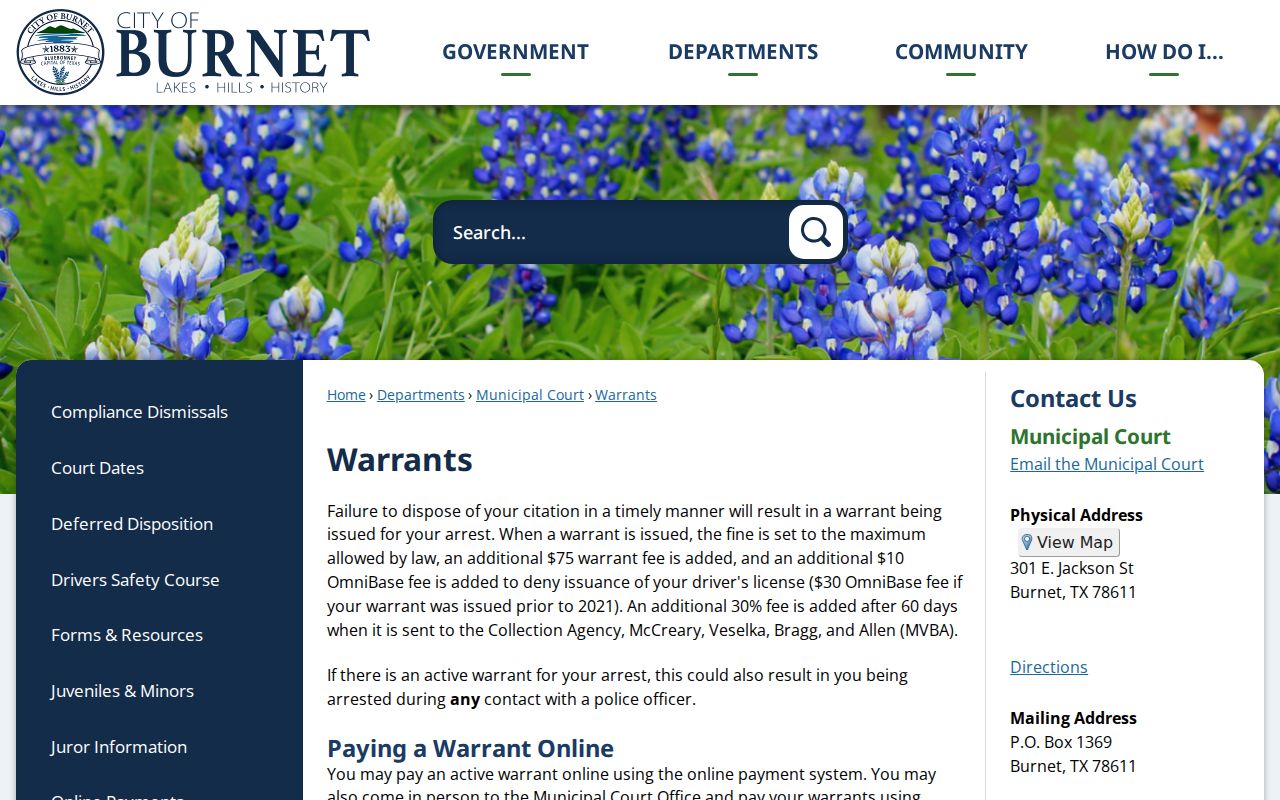
The page says warrant data is updated monthly and that a license hold may take up to 48 hours to clear. That timing belongs to Burnet Municipal Court. Confirm a payment or status change with the city clerk before relying on an online list.
Granite Shoals uses a distinct municipal payment and contact portal.
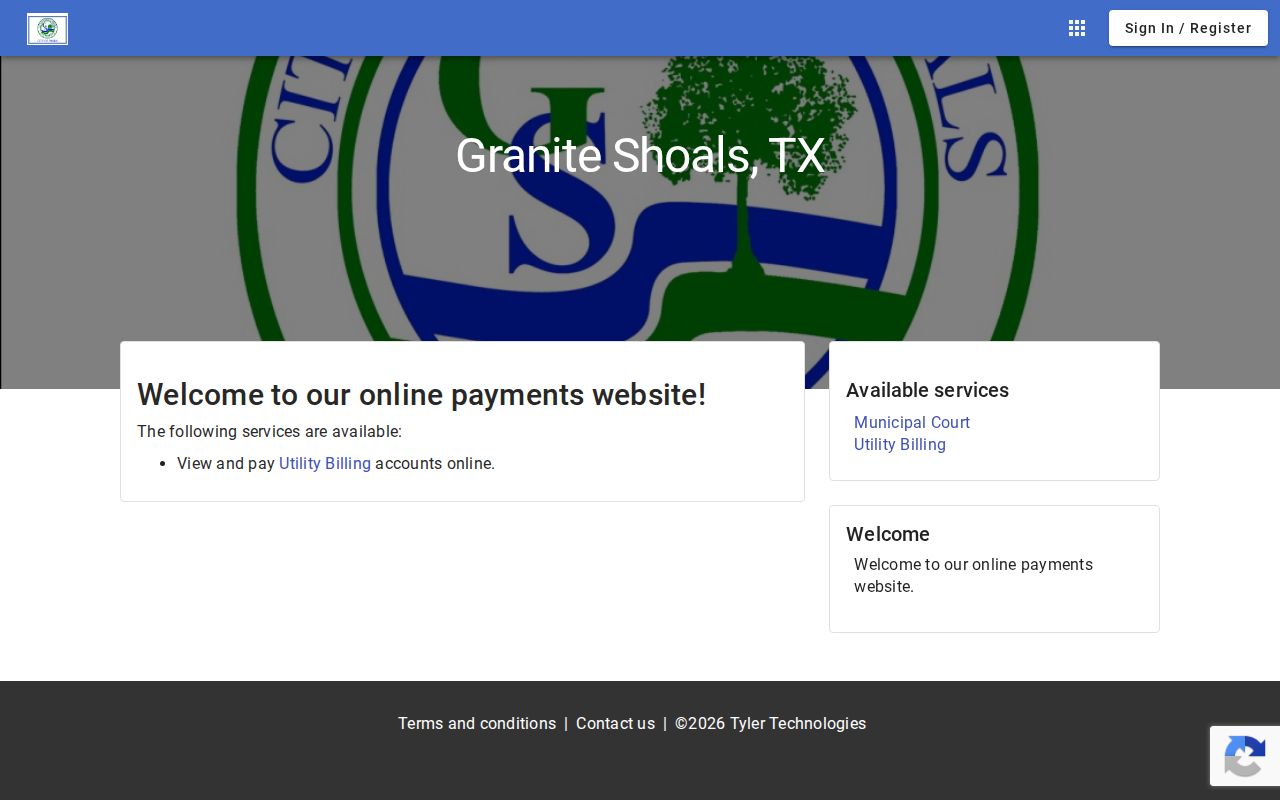
That separate city screen reinforces the routing rule. It is not a countywide search. Use a municipal portal only for the court on the citation, and call its clerk when the matter is missing.
Fees and Copies
Request a copy from the court that heard the citation. State whether a plain docket, filed judgment, or certified copy is needed. Burnet research does not establish one traffic-copy fee for all JPs and cities. The District Clerk schedule below can guide a district-record request, but it is not a municipal or JP traffic fee schedule.
| Item | Fee | Notes |
|---|---|---|
| Municipal or JP traffic copy | Confirm with court | Each issuing court controls its current fee. |
| District Clerk paper copy | $1 per page | From the schedule effective January 1, 2025. |
| District Clerk certification | $5 additional | Does not set a city or JP certification fee. |
| District Clerk search | $5 per name | Use only for records held by that office. |